Using the Web Interface
Once the server is running (see the Quick Start Demo), open it in your browser at
http://<hostname>:<port>/ (port 8337 by default). The web UI exposes the same functionality as the
REST API.
Imports
Start imports manually and monitor them — whether triggered from the UI or the API — in real time. When beets needs a decision (for example, which candidate release to apply), the UI presents the choices.
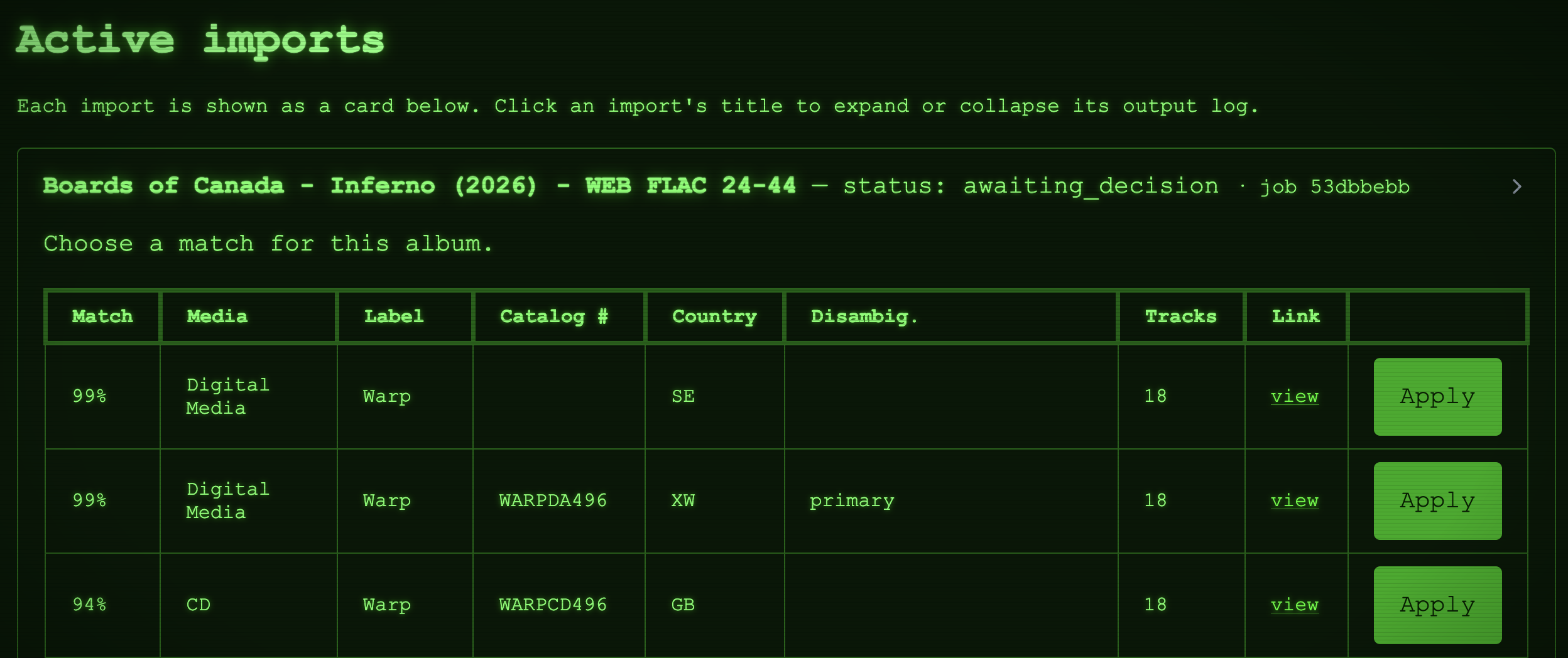
Multiple imports can run and be monitored simultaneously.
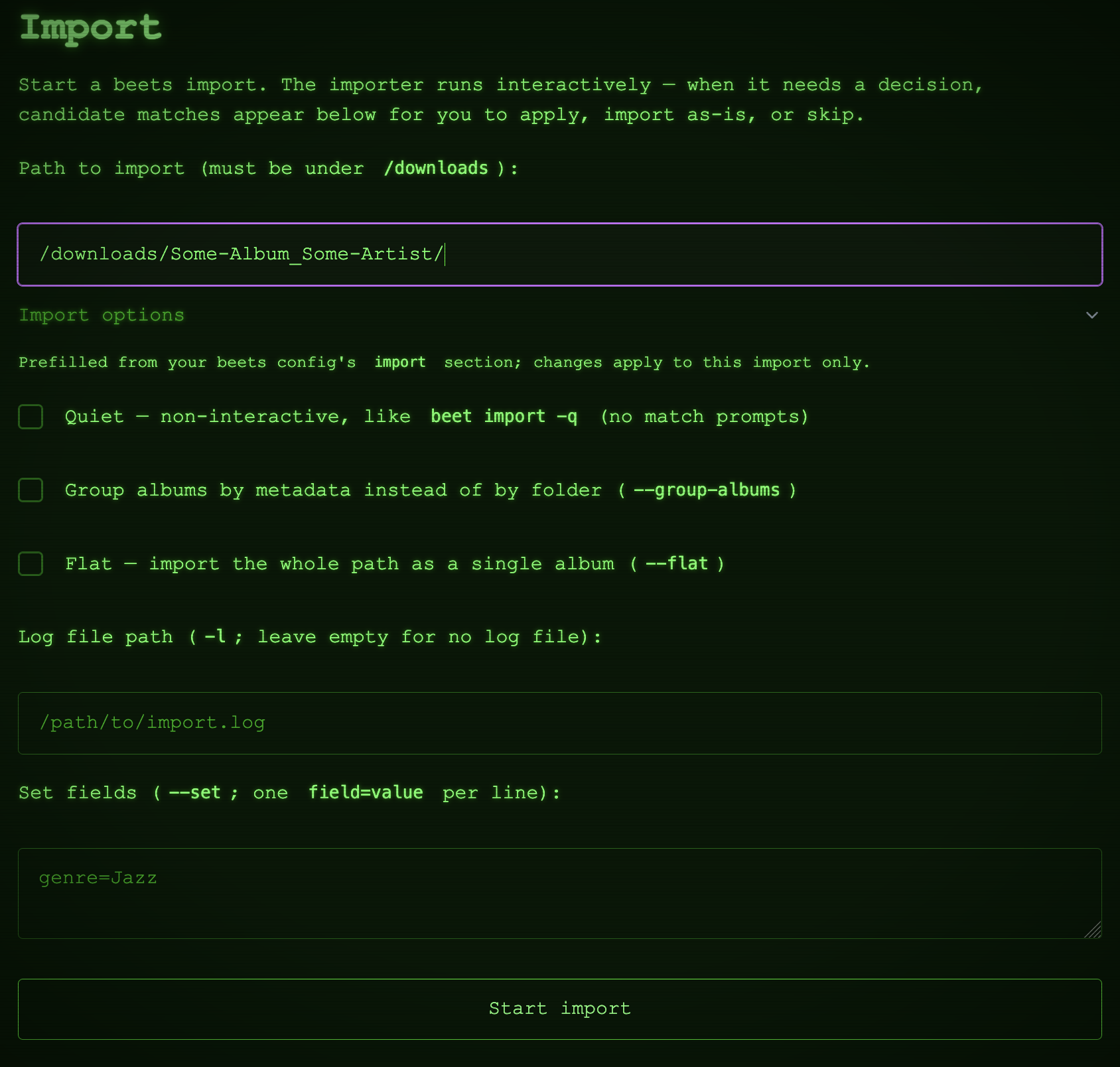
Clean-slate imports
When a library album is missing files — rows whose file is gone from disk, or tracks an earlier import
dropped — or was simply matched wrong, the fix is to import it again from its original download folder. A
clean-slate import does exactly that, in two plain steps: it removes the entry from the library the way
beet remove -d would (its rows, its files inside the beets directory, its album art), then runs an ordinary
import of the source folder. Nothing carries over — flexible attributes and the added-date start from
scratch — save for the fields the downloader hook searches by, which
are re-applied to the fresh entry so it can still be looked up. The removal happens before the import, so
skipping or aborting the import afterwards leaves the entry removed (the source files stay where they are).
Start from the search page: album rows show their file health ("3 of 12 files missing", "10 tracks,
release lists 12") and every known source path offers Clean-slate import from here, which opens the
clean-slate form on the import page with the entry and folder filled in. An album track links to its album's
clean slate; a standalone track to its own. Use Preview to see exactly what would be deleted, what the
source holds, and any warnings before you start. beetkeeper refuses a source that is missing, empty, outside
the configured downloads_path, inside the beets directory, or holding more than one album, and asks for an
explicit opt-in when the source holds fewer audio files than the library currently has on disk (the removal
would delete files the source cannot replace). Files outside the beets directory are never deleted.
beetkeeper only knows an entry's source folder when its plugin reported the import. Unrecorded rows on the search page offer a Find via downloader button instead, which asks your download client for the folder through the optional downloader hook (the button tells you when the hook is not configured yet). A match is remembered as the entry's inferred source path (labelled as such, since it is a best guess rather than a record) and offers the same clean-slate link. Source folders are never typed by hand: a clean slate always starts from a recorded or inferred one.
Events
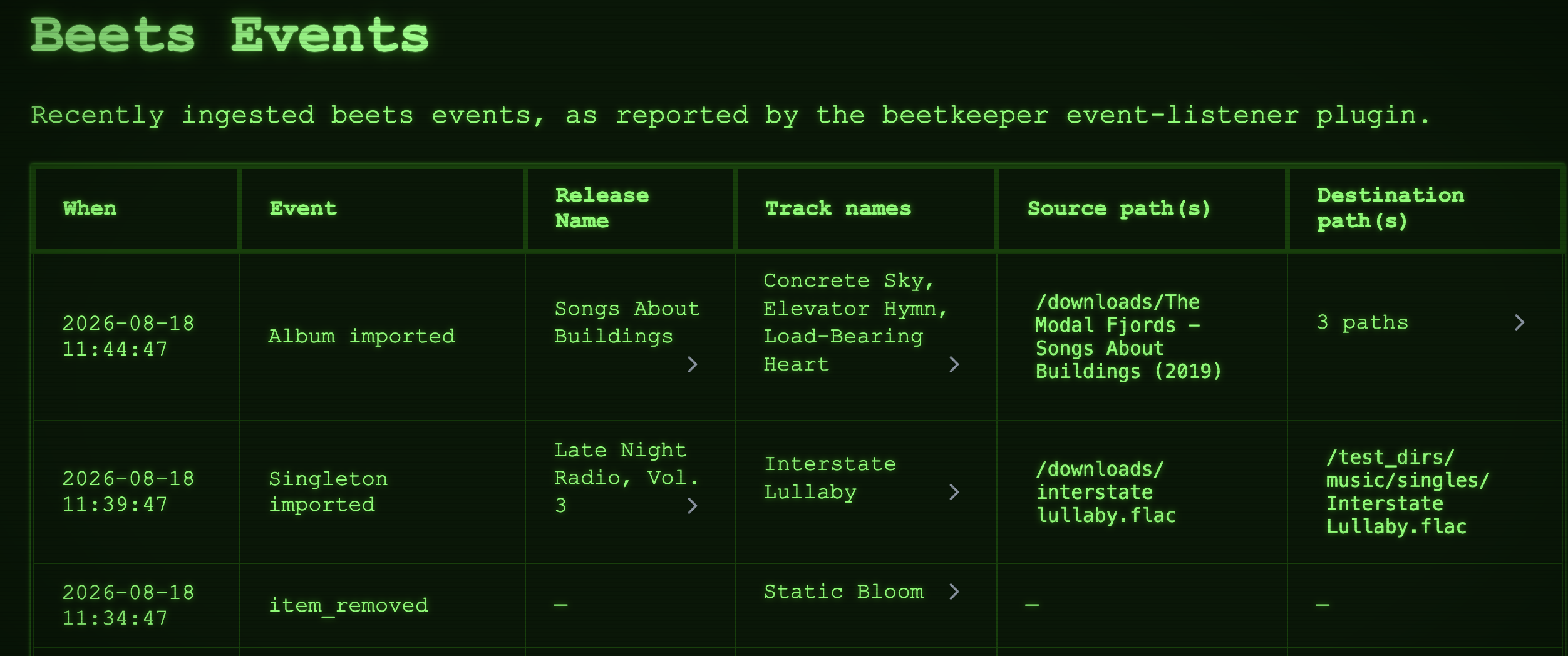
Browse the full history of beets events — album/track import completion, file modifications, and removals. The history stays complete whether an event originated in the UI, the API, or from beets operations run elsewhere (via the beets plugin).
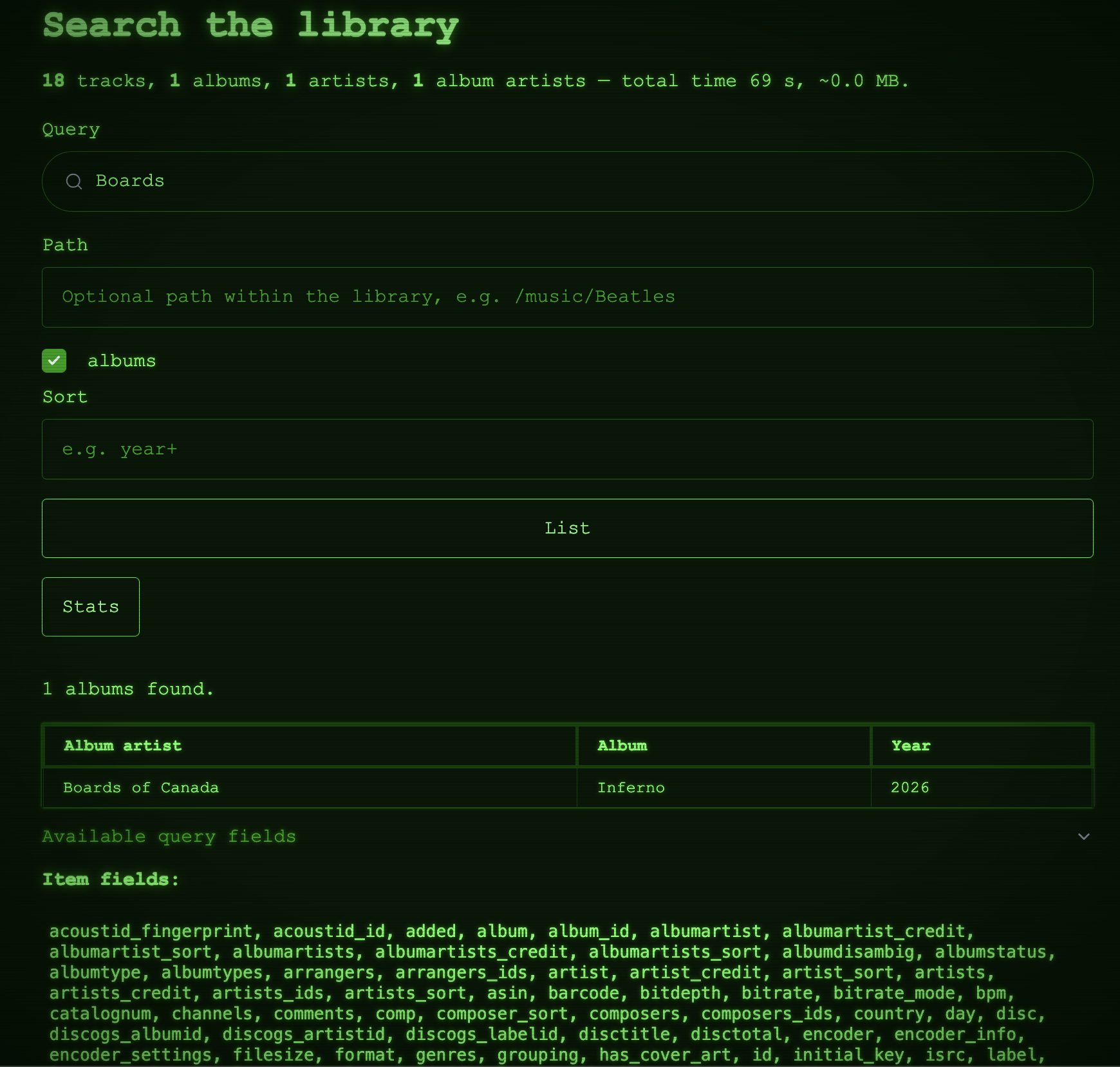
Search
Query your beets library using the full beets query language — the same expressive queries you use on the beets command line. Each result also shows whether its files are still on disk, its library location, and the folder it was imported from (with a clean-slate import link).